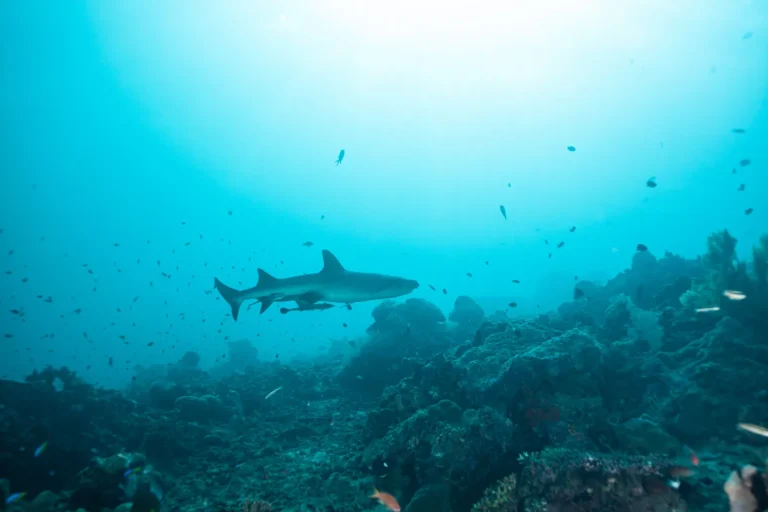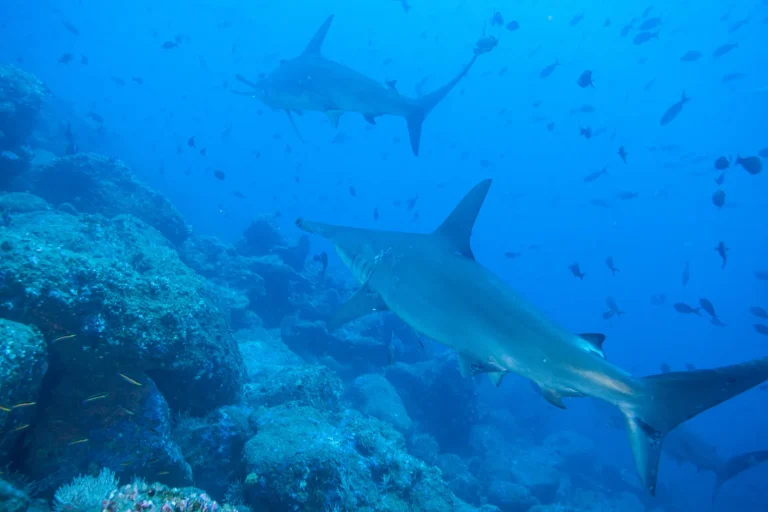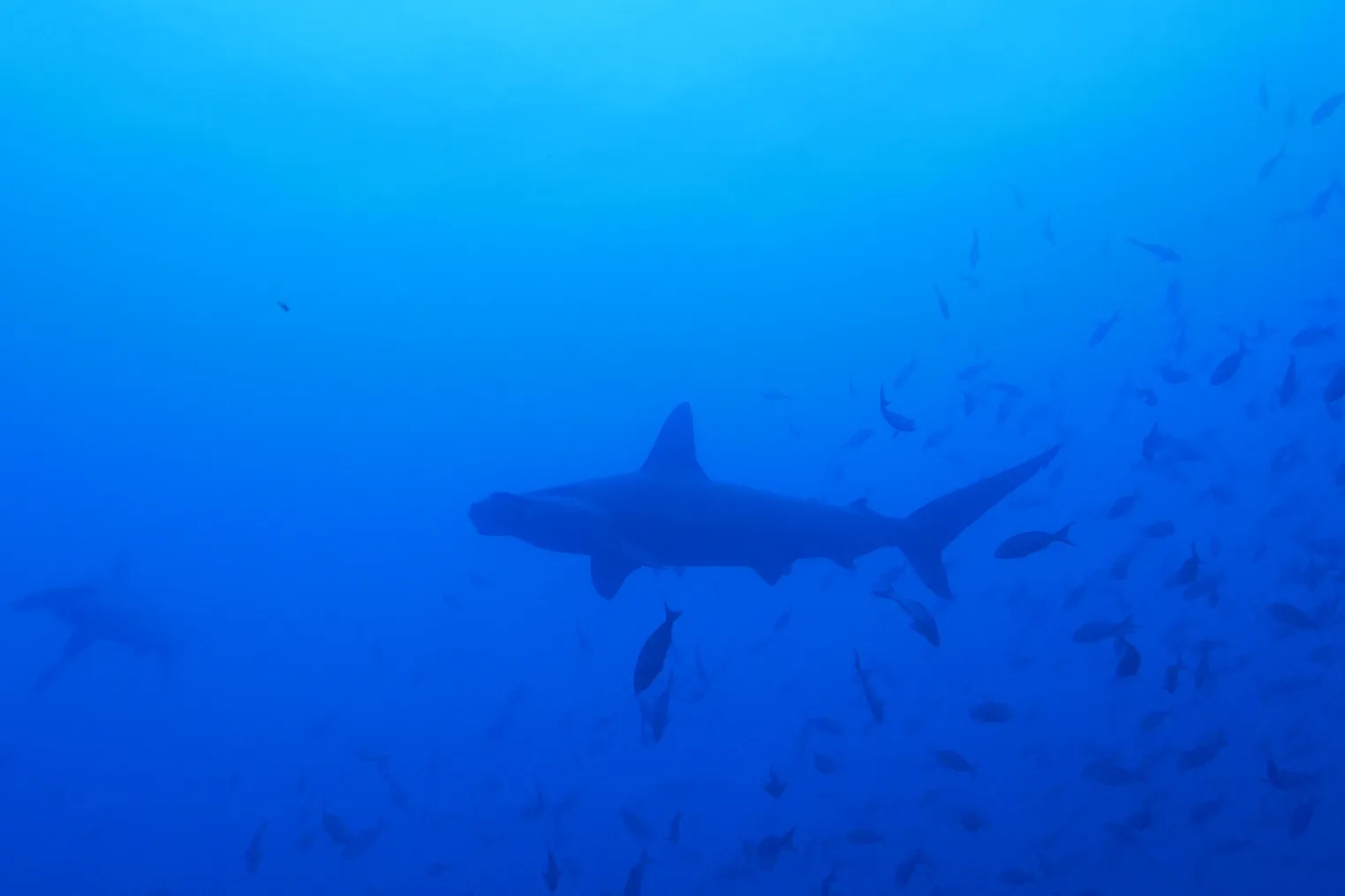
You drop into the blue off Oahu and hear the boat fade into a low thrum while reef sharks slide past like quick shadows. You’ve got a choice to make before you even zip your wetsuit. A GoPro gives you rock steady wide shots when the swell bumps you around. A phone in a dive case can nail crisp close ups and richer color if you treat the O rings like sacred. So which one earns the spot on your wrist?
Key Takeaways
- Choose GoPro HERO12 for reliable, stabilized 5.3K POV video in chop, with quick one-button recording and low leak risk.
- Choose a phone in a ProShot-style dive case for sharper stills, RAW capture, richer color, and tighter 1–3 m shark portraits.
- GoPro’s ultra-wide lens excels for full-scene passes but can distort snouts and soften detail when sharks get very close.
- Phone housings need careful O-ring checks and handling, but enable higher-quality close-ups and on-deck editing between cage drops.
- For best footage, run both: GoPro for action video, phone case plus red filter or lights for color-accurate stills and detail.
Best Pick for Oahu Shark Diving (Fast Answer)
For an Oahu shark-dive quick pick, go with a GoPro HERO12 for a grab-and-go, salt-spray-proof setup that just works. You can clip it to a chest mount, tray, or rail, hit record, and focus on the cage creak and the rush of blue water. It’s waterproof to 33 feet without a housing, tough in bouncy boats, and its stabilization keeps things smooth when sharks zip by. For more epic passes, set it to 4K/60 with HyperSmooth stabilization to keep fast-moving sharks crisp and shake-free.
If you crave sharper still photos and richer color on close passes, bring your phone in a ProShot-style dive case rated 50 to 130 feet. Do your O-ring check, add a red filter or small light, and you’re set. Best move: run both. If you’re traveling light, the GoPro wins for low leak risk and quick setup today.
What Your Oahu Shark Dive Footage Looks Like
Your gear choice decides the look and feel of what you bring home from Oahu’s shark trips. In the GoPro vs phone setup, you’ll notice wide, silky POV clips that catch the whole cage, bubbles, and quick passes. At depth, that same sweep can turn blue green unless you add a filter or light. With a phone in a housing, close portraits pop with higher image quality and finer scales, and you can shoot RAW and tweak exposure fast, though touch controls may sulk past 15 m. For better results, prioritize natural light by keeping the sun at your back and staying shallow when possible on Oahu shark dives.
| Shot | GoPro | Phone |
|---|---|---|
| Cage | Wide | Tight |
| Passes | Smooth | Sharp |
| Color | Blue | Rich |
| Workflow | Mount | Edit |
GoPro feels grab and go in chop. A phone case demands O-ring checks, so you don’t donate your phone to the Pacific.
Oahu Shark Video: GoPro vs Phone Case
Jump into an Oahu shark cage dive and you’ll feel the boat slap the chop while shadows cruise in and out of the blue.
For video, a GoPro HERO locks in that wild POV. You hit one button and it rolls stable, wide clips up to 5.3K, even when the cage rattles. It’s tough, waterproof to about 10 meters, and it loves mounts on your mask, chest, or a short grip.
A phone in a ProShot-style dive case can look richer frame by frame, thanks to bigger sensors and smart processing. But you’ll babysit O-rings, manage bulk, and risk your daily driver. On the boat, stash your camera in a dry bag or hard case to prevent salt spray damage between drops. If sharks rush past fast, the GoPro workflow wins. Still, for slow swims, add lights or a red filter for punchier color.
Oahu Shark Still Photos: Phone Case vs GoPro
When you want crisp shark stills off Oahu, a phone in a solid housing can give you cleaner detail and richer color, especially if you add a small light and a red filter to bring back warm tones.
You’ll also get better close-up focus and more natural skin texture on the shark, while a GoPro’s ultra-wide look can bend the snout and warp the scene when it swims right up to you.
In murky conditions, prioritize close focus distance and keep your shutter speed high to freeze motion and cut through the haze.
Still, that rugged little GoPro is easy to clip on and trust in the splashy chaos, so you’re choosing between image polish and simple peace of mind.
Still Photo Detail And Color
Often, the biggest difference in Oahu shark stills isn’t the shark at all. It’s the water and what your camera does with light.
Shoot with a modern phone via a sealed housing like a ProShot, and you can grab high-res stills and even RAW files. That means cleaner skin texture, smoother highlights, and more shadow detail when the sun cuts through the chop. Add a small dive light or a red filter around 4 to 15 meters, and the gray backs and white bellies look true instead of teal. Pulling frames from GoPro 5.3K video works for fast action, but details soften and colors lean blue-green. Your phone lets you edit and share on deck, battery permitting. Just double-check the seal before you splash. For clearer images, use mask defogging so condensation doesn’t haze your stills during Oahu shark dives.
Close-Up Focus And Distortion
Sometimes the most dramatic shark photo moment happens at arm’s length, right at the cage rail, and that’s where focus and lens shape start calling the shots. With a phone housing, your underwater camera uses the phone’s bigger sensor plus smart processing, so close-ups keep crisp teeth edges and subtle skin texture.
GoPro’s fixed ultra-wide lens loves big scenes, but up close it stretches sharks like a funhouse mirror and softens fine detail. In general, wide-angle lenses shine when you can get close and include more environment, while zoom makes sense when you need extra reach without swimming in. At the common 1 to 3 meter Oahu cage distance, video still-grabs work for fast turns and splashes. If you want frame-filling portraits, add a wet-macro lens to your phone case and align it carefully. Keep the O-ring clean and clamp tight or you’ll earn blur or dark corners every time.
Low-Light Shark Footage: GoPro vs Phone
Drop under the surface off Oahu and the light changes fast, shifting from bright silver to a blue-green haze where sharks glide in and out like moving shadows.
In this dim world, your camera choice matters. A GoPro HERO12 keeps video smooth with strong stabilization and high ISO in 5.3K or 4K, so your clips stay steady even when the boat swell rocks you. Without a video light, colors lean teal and fine texture fades as you sink. Many operators also offer video packages that bundle edited highlights from the dive, which can help if low-light conditions make your own footage come out softer than expected.
In the blue-green dim, the right camera matters, HERO12 stays smooth in 5.3K, but without light, color and texture slip away.
A phone in a good housing can pull more detail from the gloom using night modes and multi-frame noise reduction. But it chews battery and can heat up.
For longer runs, the GoPro plus a bright continuous light often wins. Pack spares and hit record early.
Close-Ups on Shark Dives (What’s Realistic)
| Setup | Close-up payoff |
|---|---|
| Phone case + wet lens | Sharp stills 1–3 m |
| Phone + strobes | Teeth, skin texture |
| GoPro + mount | Steady video 0.5–4 m |
For the best results, focus on underwater composition techniques, holding your position and letting sharks pass through the frame instead of chasing them.
Wide-Angle Shark Shots: Why GoPro Excels
On most Oahu shark dives, the challenge isn’t getting close. It’s fitting the whole shark and the blue water around it into your frame.
A GoPro’s ultra wide view, around 120 to 150 degrees, grabs the full body even when it glides right past your mask. Your phone’s narrower lens often chops off a tail or a fin, unless you back away and lose the energy.
HyperSmooth stabilization keeps the scene steady while bubbles hiss and the boat rocks above. Shoot 4K at 60 or 120 fps and your turns into clean slow motion instead of blurry wiggles.
The camera is rugged and waterproof, so you skip nervous seal checks and focus on the good moment. You’ll see sand ripples and shadowy escorts too.
If you’re debating whether to rely on your own setup, comparing it against photo package pricing can help you decide what’s worth paying for.
Rig a GoPro for Oahu Shark Dives
Build your GoPro rig before you ever smell the salt air at the harbor. For Oahu shark dives, lock a HERO12 (or 11/10) into the setup below, then add a quick-release chest or helmet strap for a hands-free backup when the cage clanks. Shoot wide at up to 5.3K with HyperSmooth. If water’s clear, lights stay low; if murky, bump output for contrast. Pack spare batteries and a fast 128 GB+ V30 or UHS-II card; expect 60–90 minutes per cell on a scuba diving day. Check the NWS Honolulu forecast before your boat day for the latest marine conditions.
| Piece | Why | Spec |
|---|---|---|
| Waterproof housing | Keeps seals tight | 60 m / 196 ft |
| Dual-handle tray + float arms | Smooths shakes | Neutral feel |
| Short offset pole | Adds space | 10–20 cm |
| Red/magenta filter or 2 video lights | Fixes blue-green | 600–2800 lm |
Rig a Phone Case With Dive Lights
Your GoPro rig might be ready to roll, but a phone can pull its own weight in Oahu’s open water if you give it the right armor and light.
Mount a ProShot-style housing like the ProShot Dive Case (130 ft) or Touch 2.0 (50 ft) on a GoPro tray so you can bolt on standard dive lights.
Run dual lights on a dual-handle tray to smooth shadows and bring back reef and shark colors.
Aim for two 2,000 to 3,000 lumen beams, about 4,000 to 6,000 total.
Pick a wide 60 to 120 degree spread.
Hold the lights 30 to 60 cm out to cut plankton sparkle.
Before you even gear up, use waterproofing tips at the harbor, seal-checking and drying ports, to keep your phone protected between dives.
Bring a waterproof power pack, and do a land dry-run for touchscreen feel and clamp alignment too.
Prevent Phone-Case Floods in Saltwater
Suit up that phone case like you’re about to drop it into a salty sand trap.
Suit up your phone case like it’s headed for a salty sand trap, because one slip is all it takes.
Before you hit the water, do a dry-run leak test with a test block or mock phone.
Open the sealed housing and inspect the O-ring every time.
One hair or grain of sand can hiss in like a saboteur.
Rinse and dry the O-ring and its groove, then add only a swipe of the maker’s silicone grease.
Seat it with no twists, close the latch until it clicks, and pick a case rated for your depth.
Pressure can make touchscreens weird, so try controls shallow first.
After the dive, rinse in water right away, dry the seam, and swap worn O-rings.
Pack a spare O-ring, cloth, and tool.
Between entries, stash your phone and keys in the boat’s dry storage so they’re not exposed to spray or theft.
Oahu Shark Dive Costs: GoPro vs Phone
When you price your Oahu shark trip footage, you’re choosing between a GoPro rental at about $20 to $40 a day or a $400 to $500 buy, versus a phone housing around $150 to $200 that some operators may not even allow in the cage.
Then the little add-ons start to clink in your bag like loose coins: poles and mounts are often included with GoPros, but phone setups can push you into extra grips, handles, or lights at $20 to $60 a day. Add battery planning to the bill, because a GoPro can keep rolling for about 1.5 to 2 hours while your phone may fade fast right when the water goes quiet and a shadow slides past. Just like choosing fin fit and comfort to avoid blisters and get enough power for Oahu shark dives, your camera setup needs to match the conditions so it doesn’t fail when it matters most.
Upfront Gear And Rental
Start by sizing up the rental gear, because the price jump from “just a camera” to “ready for sharks” happens fast.
On Oahu, a GoPro HERO12 Black usually rents for $25 to $50 a day plus a refundable deposit. If your tour goes deeper, add a dive housing for about $10 to $30 per day.
You’ll clip it on, hear the cage rattle, and get smooth POV video with little fuss.
A ProShot style smartphone dive housing runs roughly $20 to $40 a day and is rated to 40 meters.
It often comes with mounts, and your familiar camera app makes quick tweaks easy between drops.
Before you book, ask if the operator allows phones in the cage, since some don’t for safety reasons.
It’s also worth confirming what your booking fee covers, many packages bundle core gear and boat time as part of what’s included.
Accessories And Total Spend
Rental prices look simple until you add the bits that keep your camera in your hand while the cage creaks and the swell bumps your shoulders.
A HERO12 Black with dive housing plus chest or hand mount hits $500 to $700. Plan $50 to $150 more for rugged mounts or floatation. A ProShot style phone case costs $150 to $200, but with floating grip, pole, and red filter or light you reach $250 to $400.
Ongoing costs sneak in. GoPro batteries and SD cards add $50 to $100. Phone rigs want a power bank or protection plan at $50 to $150. If you run both for wide video and close photos, total spend climbs to $600 to $1,000, and it’s still easy to use.
If you’re adding a wetsuit or rash guard for comfort on an Oahu shark dive, consider budgeting for layering so you can stay warm between drops without fumbling your camera setup.
Choose Your Oahu Shark Setup by Goal
Because Oahu shark dives move fast and the water never holds still, you’ll get better results if you pick your camera setup based on the shots you actually want.
Oahu shark dives move fast, choose your camera setup based on the shots you actually want.
If you crave smooth, immersive POV as sharks cruise past the reef or a wreck, grab a GoPro HERO12 Black. Its stabilization and 5.3K video keep fin flicks and bubbles from turning into jitter.
If you want razor-sharp stills of teeth, scars, and sandy skin texture, slip your phone into a ProShot Dive Case rated to 130 ft. You’ll shoot RAW, swap lenses, and edit on the boat.
Want both video and stills? Bring both. Use the GoPro as your separate camera for action. Use the housing for portraits with lights or a red filter.
Before you jump in, double-check your essential gear so your camera choice isn’t derailed by small packing misses.
Frequently Asked Questions
Can I Bring a Selfie Stick, and Is It Allowed on Oahu Shark Tours?
Yes, you can bring a selfie stick, but you must follow each operator’s selfie regulations. Keep it short (about 3–5 ft), secure it with a tether, avoid sharp tips, and obey the briefing.
Do Oahu Shark Boats Provide Camera Rinse Buckets or Freshwater for Gear?
Yes, most Oahu shark boats provide freshwater and a Gear Rinsebucket for cameras and housings. You should confirm before boarding, rinse immediately after each dive, avoid blasting seals, and dry gear with your microfiber towel.
What Time of Year Offers the Clearest Water for Filming Sharks in Oahu?
Silky, sunlit seas await you in May–July, when Oahu’s water runs clearest for filming sharks. You’ll also score great June–September days. Skip Winter clarity hopes November–March; choose calm mid‑mornings for brightest footage with minimal chop.
Will Airline Carry-On Rules Affect Traveling With Dive Lights and Spare Batteries?
Yes, airline carry-on rules will affect you. Battery restrictions usually force spare lithium-ion batteries into carry-on only, terminals protected, under 100Wh. You’ll need approval for 100–160Wh packs, and can’t check spares.
Do I Need Special Permits or Releases to Post Oahu Shark Footage Commercially?
Like sending a telegram, you’ll need permits and releases to sell Oahu shark footage: check DLNR marine activity rules, follow Release Requirements with signed model/location releases, and carry copies; consult DLNR or a maritime lawyer.
Conclusion
Out on Oahu’s blue water, your footage can feel like a postcard that moves. If you want no-fuss action, strap on the GoPro and let it drink in every fast pass, bubbles, and boat rumble. If you crave sharp shark portraits, run a phone case with clean O-rings and small dive lights. Bring both and you’ll cover the whole story. Travel light and the GoPro still wins.