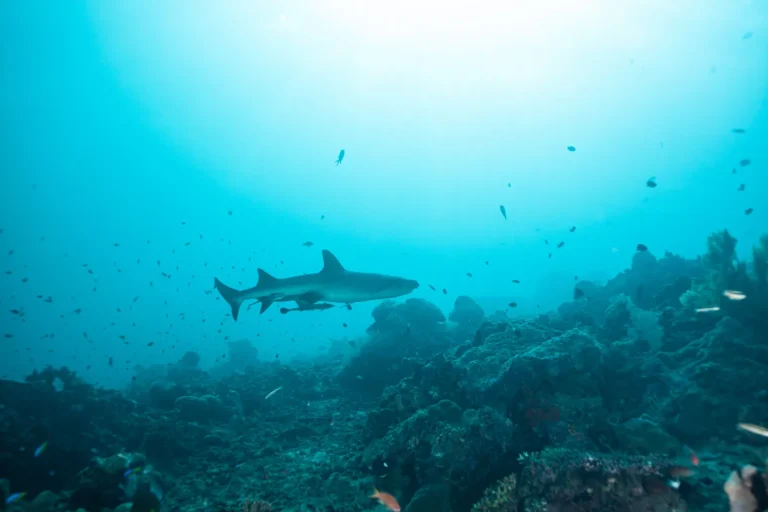
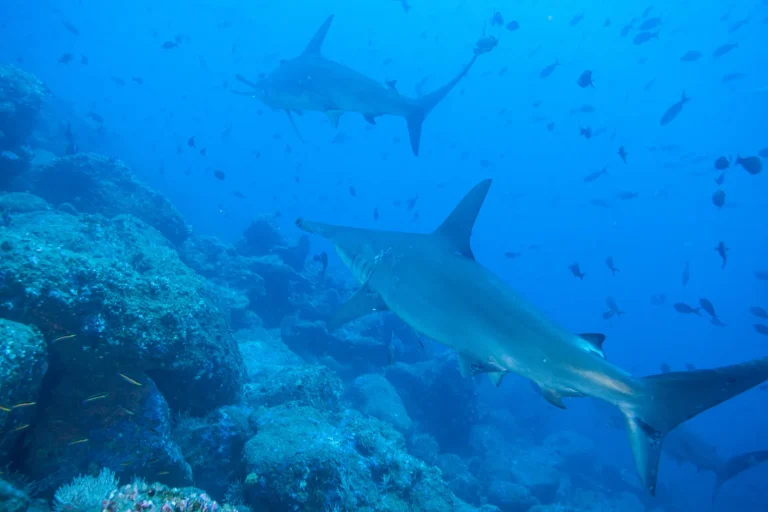
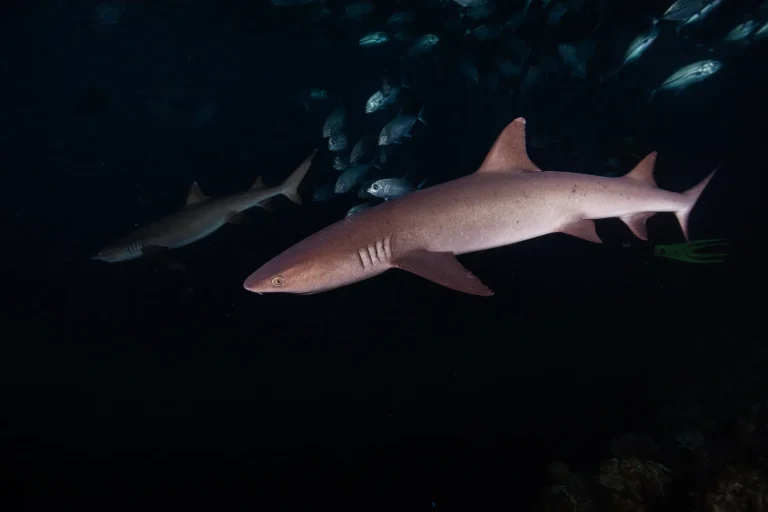
You’ve got hours of calm blue drift, then a split-second flash of teeth. You don’t need a fancy setup, you need a repeatable routine: skim your VOD at 1.5 to 2×, mark three to five moments with a clean hook and a clear payoff, then trim them down to 30 to 120 seconds so every beat feels close and salty. Reframe to 9:16 with gentle pan-and-scan, add bold 4 to 7 word headlines and crisp subtitles for mute scrollers, and you’ll see the story snap into place, right when the next shadow rolls in…
Key Takeaways
- Use a 60‑minute loop: clip selects, merge highlights, resize to vertical, then caption and polish for fast turnaround.
- Pick 3–5 moments per hour: 3–7s hook, 30–60s action, and 15–30s clarity shot with the cleanest closeups.
- Trim to setup‑and‑payoff, start with the shark’s face in the first 2–3 seconds, and cut filler talk and glide‑ins.
- Reframe to 9:16 with gentle pan‑and‑scan, keeping eyes and fins in the central 80% and text inside safe zones.
- Burn bold headline text and subtitles, test sound‑off readability, and export 1080×1920 H.264 at 30 fps, 6–10 Mbps.
The 60-Minute Shark Footage Editing Workflow (Outputs Included)
Start with one solid shark-diving VOD and, in just 60 minutes, carve it into a week’s worth of punchy assets that feel like you planned them on purpose.
> Turn one shark-diving VOD into a week of punchy clips in 60 minutes, assets so intentional they look pre-planned.
You run a tight four-step loop: Clip for 15 minutes, Merge for 10, Resize for 15, then Caption and Polish for 20.
You skim at 1.5 to 2× speed, export short cuts, and name files so you can grab them every day without hunting.
You stitch a quick setup and payoff, add a simple title card, then resize to 9:16 at 1080×1920 using pan-and-scan or a soft blur so fins stay in frame, make sure, faces don’t vanish.
In low-visibility water, prioritize fast shutter speed to keep shark movement crisp and reduce motion blur in your best clips.
Finish with burned-in subtitles, bold headline text, and gentle ocean ambience for mute-friendly Reels, TikToks, and Shorts too.
Choose 3–5 Shark Moments: Hook, Action, Clarity
Skim your 60 to 90 minute shark dive VOD at 1.5 to 2× speed and “shop” for just 3–5 moments that each do one job well: a 3–7 second hook that answers why you should keep watching in the first blink, a 30–60 second action stretch where the behavior is unmistakable and has a clear cause-and-effect beat, and a 15–30 second clarity shot that lets viewers actually see markings, fin shape, or scale in clean light. Before you even start pulling selects, double-check your camera housing seals after the boat ride and before the next splash so you don’t lose your best clip to a preventable flood.
As you watch, mark timestamps at calls or a diver’s “whoa”, those cues match Unexpected closeups, to keep your place. Track Lighting cues, favor low backscatter. For action, choose one sequence with clear Behavioral context, a chase that ends in contact, or a slow pass that shows scale.
Sniper-Cut Shark Clips to 30–120 Seconds (Tight Trims)
Dial in on those standout shark moments and carve them into 30 to 120 second sniper clips, the kind that drop you straight into the splash, the exhale, and the first clean pass without making viewers swim through dead water.
Watch VOD at 1.5 to 2x, tag three to five bites, breaches, or close passes, then trim hard so you keep only setup and payoff, not the glide-in or filler talk.
Start with a 2 to 5 second hook, keep the shark’s face or motion centered for the first 2 to 3 seconds, and let natural cues pop, or add audio stingers.
Use pacing contrast with micro slowdowns on the hit, then return to normal speed.
Name exports with timestamps, like SharkDive_00:24:15-00:25:10_breach.mp4, and export full resolution.
If you’re working from a tour deliverable, confirm what’s included in your Shark Dive Oahu video packages so you’re cutting from the highest-quality files you actually receive.

Merge Shark Clips Into a Mini-Story Highlight Reel
Start by sequencing your best shark moments for tension, you’ll move from approach to inspection to reaction so the viewer feels the water tighten, like footsteps getting closer in a quiet hallway.
Then add a crisp title card up front and a couple of short text overlays for species and place, and stitch the beats with quick hard cuts or brief crossfades so motion stays smooth, not twitchy.
As you choose and trim shots, prioritize filming without chasing so the shark’s movement stays natural and your story feels earned rather than forced.
Do it right and your highlight reel plays like a clean mini-journey, simple to follow, hard to click away from, and just a little thrilling.
Sequence Clips For Tension
Build a mini-story from your shark footage by picking 3 to 5 short clips that naturally climb in tension, like a good day on the water that turns from calm to electric.
Start with the approach, move to circling or a close pass, then land on the breach or interaction, so your tension arcs feel earned.
Trim each clip to the single best beat, ditching dead water, and you’ll keep rhythmic pacing in that 15 to 60 second Reels sweet spot. Between clips, add a quick audio swell or heartbeat hit, plus a 150 to 300 ms crossfade for smooth continuity and shared visual motifs.
On Oahu shark dives, lock in underwater photography tips like steady buoyancy and controlled fin kicks so your sequence stays clean and your cuts feel intentional.
- Open wide frames so viewers lean in
- Tighten timing as fins fill the frame
- End on the cleanest payoff
Add Titles And Transitions
Thread your shark clips together with clean titles and snappy segues, and you’ll turn scattered moments into a mini-story viewers can follow even on a noisy boat or with the sound off. Pick 3–5 clips, 30–90 seconds total, so you get setup, action, payoff: approach, feeding, close-up. For cleaner color and less blue cast in Oahu conditions, lock in GoPro underwater settings before you start assembling the sequence.
| Use this | So it feels |
|---|---|
| 1–2s title card, 24–30px, bold | Like a map pin before you plunge in |
| 200–400ms crossfades or 150–300ms whip cuts | Like quick fin flicks, not a long nap |
Keep lower-thirds inside safe zones, try kinetic typography for one key fact, and add subtle motion graphics plus tiny audio stingers. End with a 2–3s branded outro, “Follow for more,” then rewatch with sound on and off. Long dissolves suit calm water, but they drag.
Resize + Reframe Shark Footage for 9:16 (Safe Zones + Padding)
You can’t just hit a one-click 9:16 switch and hope for the best, so you’ll reframe with a gentle pan-and-scan that keeps the shark’s eyes and mouth riding the top two-thirds, like keeping a landmark in your view while you walk a crowded boardwalk.
You’ll also leave 10 to 15% padding above and below as safe zones, so fins, spray, and those blink-and-you-miss-it moments don’t get covered by app buttons or captions.
When the shark’s too wide for the vertical crop, you’ll add a soft blurred or color-matched background instead of harsh black bars, then track the movement smoothly and keep zoom under 1.2× so it stays crisp on a phone. If you filmed on Oahu, note that GoPro vs phone footage can crop differently in 9:16 depending on lens FOV and stabilization, so plan your reframing with that original capture style in mind.
One-Click 9:16 Conversion
Flip the switch to 9:16, and your wide shark clip suddenly feels like it’s been packed for a vertical trip, clean and ready for 1080×1920. Use your editor’s vertical presets for instant reframes, then check a few frames so the eyes and dorsal fin sit in the center safe zone, away from top and bottom UI. Trust the one-click switch, but don’t trust it blindly, your quick glance keeps the shark heroic.
Just like natural-looking poses in shark dive photos, a relaxed, centered subject reads more authentic and powerful in vertical crops.
- Treat the middle 80% like the main deck, keep fins and turns there.
- If the crop’s tight, add a gentle pan-and-scan over a few seconds.
- If you see blank space, pad with a blurred duplicate or branded gradient.
Preview at 100% and on a phone emulator, so heads, tails, and HUD text survive your single click转换.
Reframe Sharks In-Action
Once that one-click vertical crop gets you in the right neighborhood, it’s time to steer the frame like you’re tracking a fast boat, keeping the shark’s head, eyes, and dorsal fin parked in the middle 80% so TikTok and Reels UI doesn’t nibble the action.
Use pan-and-scan with slow, smooth keyframes, matching the shark’s glide so tails and fins don’t get clipped on quick turns. When it rushes the lens, lean into close ups detail, but keep your movement calm, like eye level pacing on a boardwalk.
In multi-shark moments, follow the lead hunter, then jump cut to the next clean angle so viewers don’t lose who’s who.
Before export, preview at 1080×1920 and check a water surface silhouette plus any text stays readable.
If you’re cutting cage-free sequences, highlight operator-focused safety cues like risk management so viewers understand how real risks are actively managed.
Safe Zones And Padding
Because vertical platforms love to crowd the edges with buttons and captions, treat your 1080×1920 frame like a dive window and keep the shark’s eyes and dorsal fin cruising inside the central safe zone, roughly that middle 1080×1350 (4:5) area where Instagram thumbnails and UI won’t bite.
If your shark dive clip was shot in flatter midday light, a bit more breathing room in the safe zone can help, since morning vs afternoon conditions can change contrast and how easily details read near the edges.
Give yourself 150–200 px of vertical padding above and below, so captions, UI, and splashes miss the action and your eye placement stays readable. For wide shots, add background fills by scaling to 120% and blurring or color-matching the layer behind. When you pan-and-scan, lead the shark 20–30% so it stays centered even when it darts through frame.
- Keep text 120 px from top and bottom
- Preview the 4:5 thumbnail crop
- Let padding feel like calm water
Add Scroll-Stopping Captions and Headline Text to Shark Clips
When a shark clip hits your feed, you’ve got a tiny window to prove it’s worth the stop, so lead with bold headline text, just 4 to 7 words, parked in the top third of the vertical frame and held for a solid 2 to 3 seconds so it’s readable even at slower playback. Pair Bold typography with sound design and pacing rhythms, then burn in subtitles for narration and onboard audio, 24 to 30px at 1080×1920, in white with 20% black shadow. If your shot came from a close, immersive setup, wide-angle lenses can make sharks feel bigger in-frame and more immediate than zoom footage. Add quick stats in your brand color with a simple icon, and animate punchlines fast, 0.2 to 0.4s ease out, never as a long crawl.
| Element | Rule |
|---|---|
| Subtitles | Central safe area |
| Stats | 2 to 3 lines |
Test it with sound off.
Export Shark Edits for Reels, Shorts, and YouTube (Settings)
If you want your shark edit to look crisp on every feed, export settings matter as much as the cut, they’re the sunscreen that keeps those silver scales from turning into a blocky mess. Export Reels and TikTok in 9:16, 1080×1920, H.264, 30 fps, 6–10 Mbps, bitrate tradeoffs for sharp fins without huge files.
For Shorts, keep 9:16 but raise to 12–16 Mbps when the water gets busy.
For YouTube highlights, go 16:9 1920×1080, 24–30 fps, H.264 or H.265, 10–20 Mbps. Set AAC 48 kHz, 128–192 kbps, keep audio loudness near -14 LUFS. Reframe vertical composition with pan-and-scan or blur padding, then preview at 100% before uploading, so nothing gets clipped. If you’re debating spending extra on a shark dive package, consistent exports can help your photo packages look worth it when you share them.
- Chase detail, not megabytes.
- Keep fins in frame.
- Hold sound steady for phones.
Post Shark Clips All Week From One VOD (Simple Cadence)
Often, one solid hour of shark dive footage can feed your whole week, you just need a simple cadence that turns the best moments into daily posts without feeling like you’re living in the edit bay. Sniper-cut 3–5 clips, 30s–2min, using Engagement tracking, chat spikes, donation pings, and audio peaks to find close passes, feeding, or odd turns. Most Oahu operators only give you a limited time in the water, so prioritize moments that look closest and cleanest on camera.
On Monday, stitch approach, close-up, and your reaction into a 60–90s reel, then post 30–60s segments on a Weekly schedule, Tue–Thu for Reels and Shorts, Wed for TikTok, and Fri for a quick behind-the-scenes recap. Reframe to 9:16 (1080×1920) with pan-and-scan or a pad so heads and fins stay whole. Burn captions, a bold timestamp headline, and light music, then apply a Crossposting strategy with exports.
Frequently Asked Questions
What Music Choices Avoid Copyright Strikes on Reels and Youtube?
You’ll pick copyright free tracks from royalty free libraries like YouTube Audio Library, Epidemic, or Artlist, or use Instagram’s in‑app catalog. Choose production music with sync rights, avoid “personal use” terms, and save license receipts.
How Do I Color-Grade Underwater Shark Footage Quickly and Consistently?
Start like you’re tuning a Victrola: set Color balance first (WB warmer, slight magenta), add Contrast punch with a gentle lift and midtone recovery, then apply Mood grading via HSL, tame cyan, boost warm tones; save presets.
Which Plugins or Presets Speed up Captions and Motion Graphics Most?
Use Premiere’s Speech-to-Text, then you’ll drop in Motion Array/Envato Caption Presets and lower-thirds via Essential Graphics. For subtitles, add After Effects Captionator or autoCaption; import SRTs with pt_ImportSubtitles. Reuse consistent Motion Templates to save hours.
How Can I Reduce Underwater Noise and Improve Shark Audio Clarity?
You’ll cut underwater noise by improving microphone placement and adding wind protection topside, then applying an 80–120 Hz high-pass, modest spectral subtraction from a short noise print, plus gentle multiband compression to highlight shark details.
What File Organization Keeps Multi-Clip Shark Edits Manageable Long-Term?
Use a strict folder structure per date/location with RAW, PROXIES, AUDIO, SELECTS, EXPORTS. Rename clips consistently, keep selects markers, apply metadata tagging, and maintain a clear versioning system (v1/v2) so you don’t overwrite.
Conclusion
You’ve now got a 60 minute route from raw VOD to a week of sharp shark clips, so keep your eyes on the hook, the bite, and the clean payoff, then trim hard, reframe neatly, and let captions do the talking when viewers watch on mute. Remember, measure twice, cut once, because a clean timeline feels like clear water, easy to scan and hard to forget. Export, preview at 100%, post steadily, and stay curious.